Console 1 Compact
The industry-defining control surface – adapted for all spaces.


Get The ultimate Flow experience.
Stay in your creative state with hands-on control.
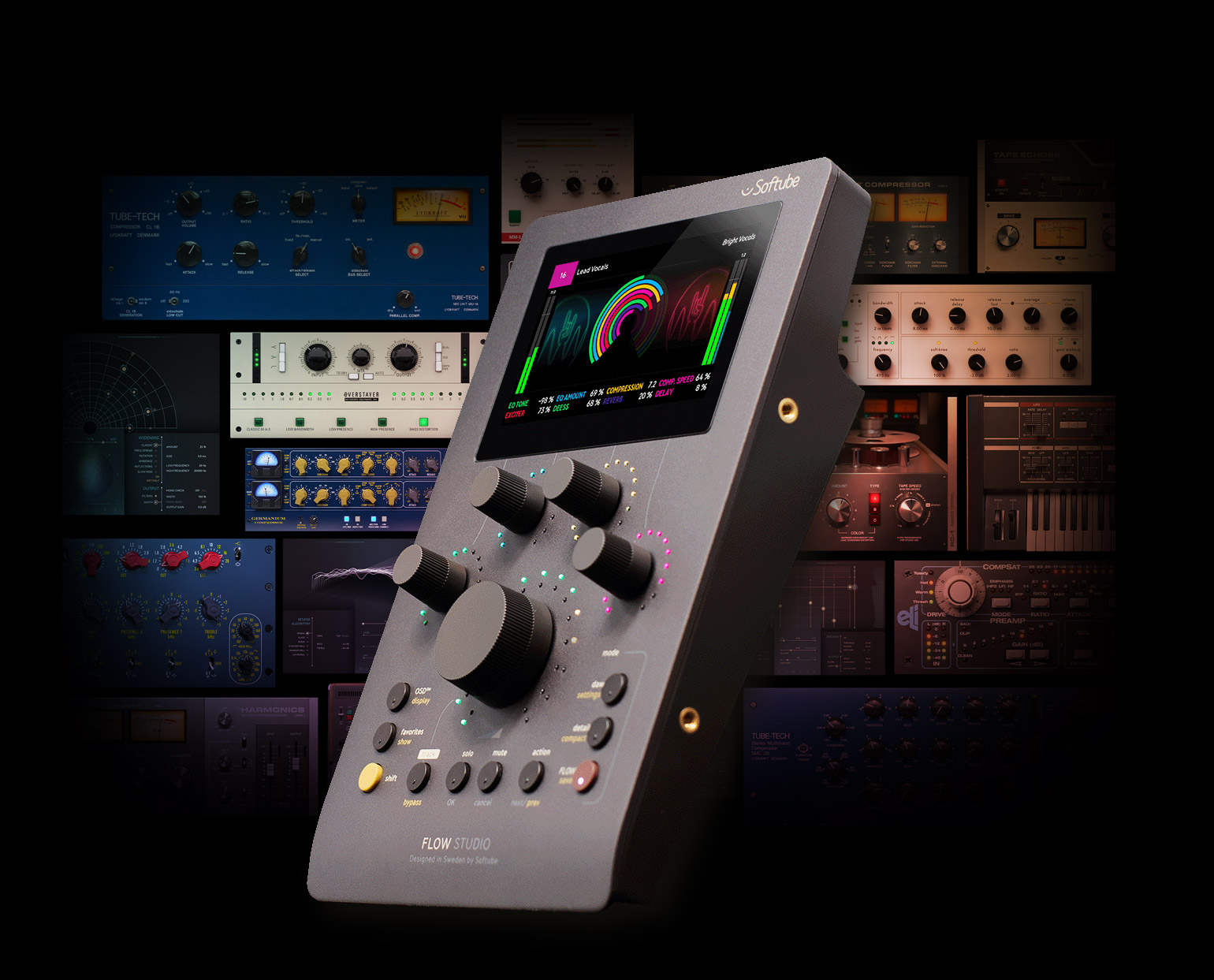
Console 1’s award-winning workflow concept in a smaller format
Touch-sensitive Analog Feel™ potentiometers and updated design with the same robust build
Includes our idea of the perfect channel strip, also expandable with plug-ins & channel strips from Weiss, Chandler, SSL & more


Bring vocals to life in seconds with reverb, delay, compression, EQ & more.
Get the broad strokes with quick tonal tweaks to guitars, keys & backing vocals.

Capture the perfect tone with amp & cab selection and moveable mics.
Dial in cohesive rhythm tracks as the perfect foundation for your melodies.

Saturate. Layer. Widen. Get your hands dirty & shape your sound.

With a small footprint perfect for every studio.
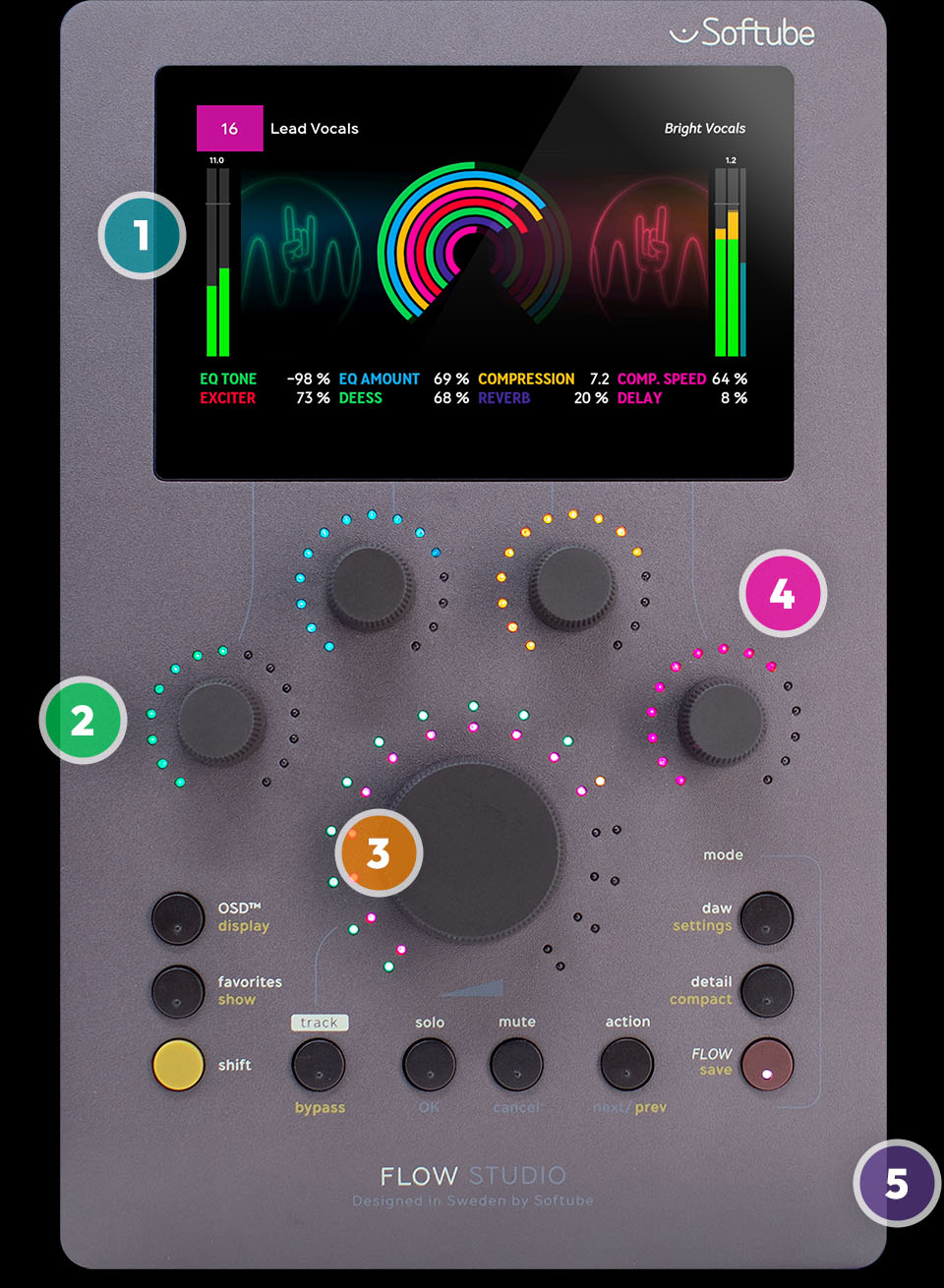
1
From metering to EQ curves to inspiring graphics and visualizations that keep you focused on your music.
2
They feel analog because they are. Control effects & more with a high-end, pro audio gear feel.
3
The big knob at the heart of the unit has two main uses: scrolling through lists and affecting sound & volume.
4
Bright RGB LEDs that change color with the screen view to ensure you always know exactly what you’re controlling.
5
Robust anodized aluminum casing for high-end gear feel.

Go from DAW control to macro control at the push of a button.
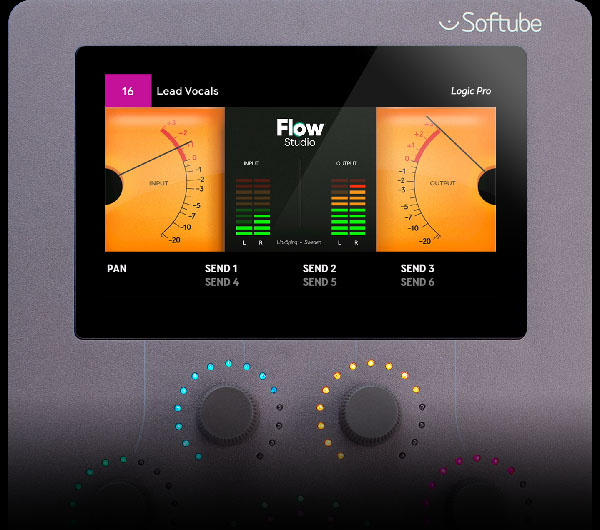
Control levels, pan & sends, right out of the box. No mapping required.
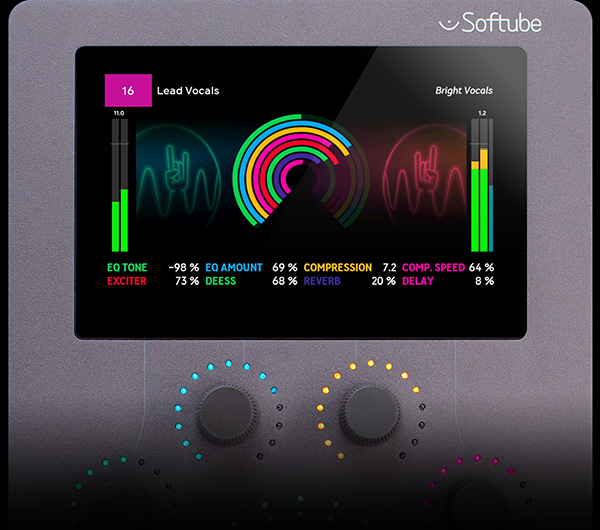
Transform your sound instantly with macro controls. Go from a dry track to ear candy at the turn of a knob.
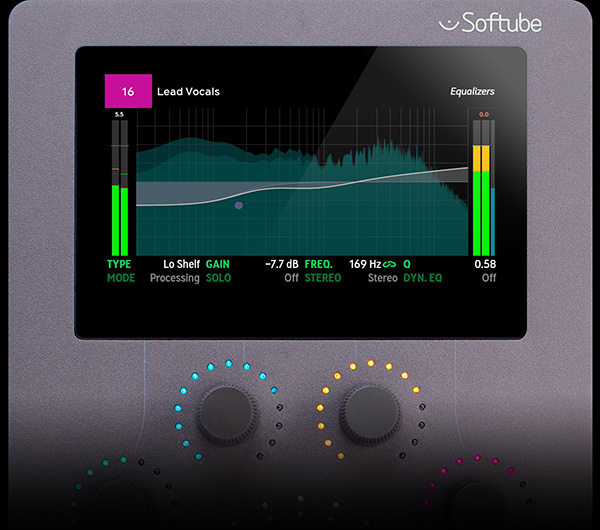
Want to go deeper? Use Detail Mode to adjust each parameter of your favorite Softube plug-ins directly from the hardware.


Mount Flow Studio, Channel Mk III, or Fader Mk III at the perfect angle for a seamless system and clean look.


• Flow® Studio
• Flow® Studio Suite software with 25 Softube plug-ins as perpetual licenses: compressors, EQs, reverbs, delays, tape & saturation processors, vocal tuning, and more. See the full list of plug-ins included below.
• Flow® Mixing Suite plug-in – no subscription required
• 2-meter USB C – USB C cable
• Four M4 screws for VESA mounting
Flow Studio is a hardware controller that controls the Softube Flow® Mixing & Mastering Suite plug-ins. It gives you hands-on control over macros within the Flow plug-ins for fast, broad-stroke mixing and producing. It comes with perpetual licenses for 25 included effects, and over 100 Flows, or signal chains, to get you going.
No, no subscription is required to use Flow Studio. It’s fully functioning and totally inspiring all on its own. However, there are big benefits for Flow Suites subscribers. Flow Studio and Flow Suites work together seamlessly. And, adding an optional subscription of Flow Mixing or Complete Suite, unlocks up to 145 additional signal chain Flows and 65+ plug-ins. Learn more about Flow subscriptions
Yes, you can control Flow Mastering Suite with Flow Studio, but you need to own all plug-ins in at least one Flow Mastering Suite Flow to do so. Visit Flow Mastering Suite to learn more
Yes! You can use the plug-ins included in your Flow subscription with the Flow Studio hardware.
Flow Studio does not integrate directly with the Console 1 Mixing System, but it is a great companion. Working with Console 1 and Flow Studio in tandem, but independently, you’ll gain time-saving adjustment options, and effects that are loadable in Console 1.
Yes! Softube plug-ins are compatible with Flow Studio. The more you own, the better your experience gets. Visit Flow Mixing Suite to learn more
Yes! You can create Flows, save them, and even share them with friends. Visit Flow Mixing Suite to learn more
No, Flow Studio does not come with an included subscription, nor is one required. However, Flow Studio does come with the Flow Mixing Suite plug-in included, which is used to process the audio. Learn more about Flow Mixing Suite
Flow Studio works with all major DAWs giving you control of output levels, solo, mute, pan, sends – right out of the box. No mapping required. Compatible DAWs include Pro Tools, Logic, Ableton Live, Cubase, Fender Studio Pro (Studio One), LUNA, Reaper, FL Studio, Nuendo, Bitwig Studio, Digital Performer, Cakewalk, and Samplitude. Learn more about DAW compatibility
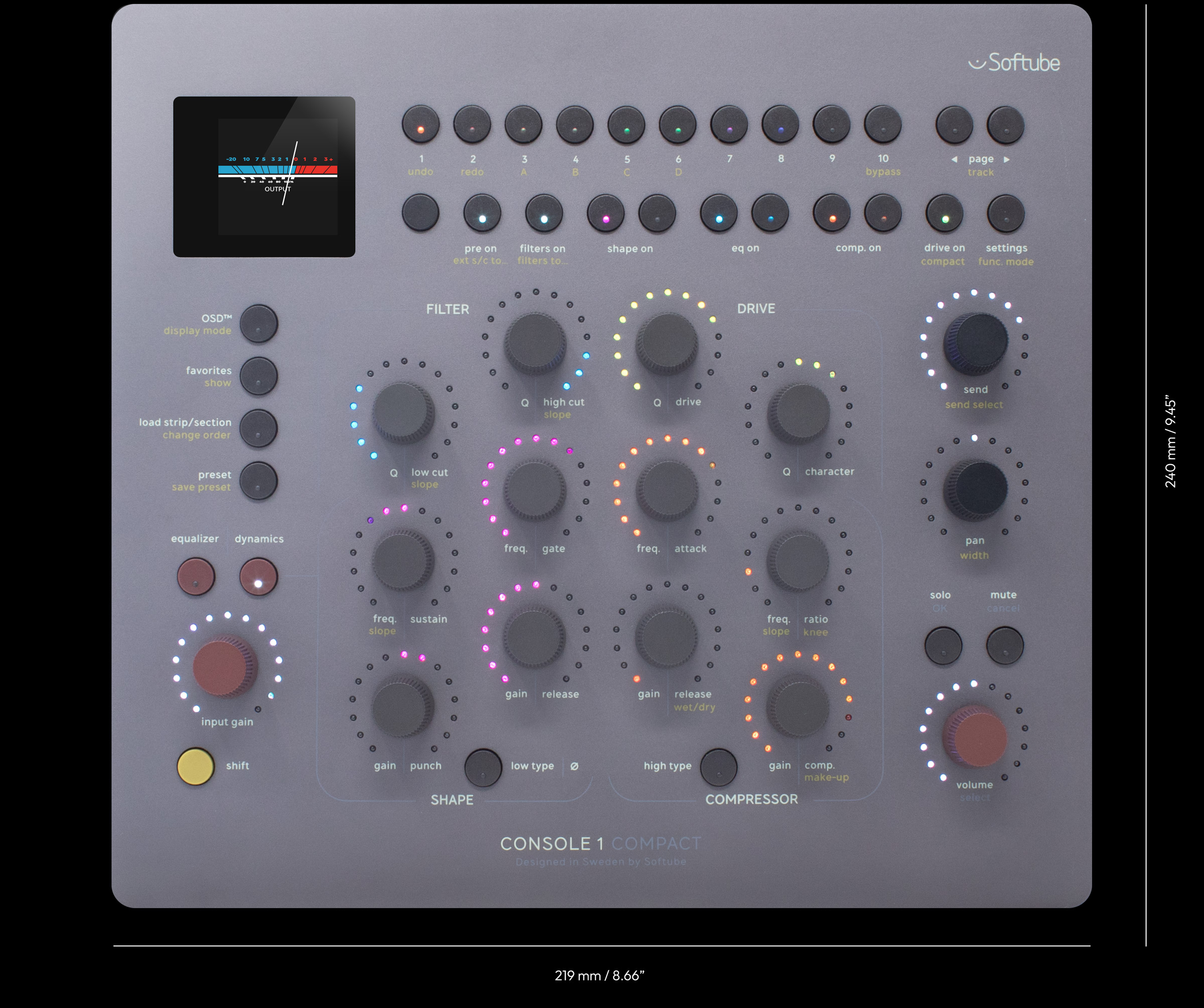
Start planning for the perfect addition to your desktop.